Our Location
5th Floor, Huake Center, Lanshan District, Linyi City, Shandong Province, China

5th Floor, Huake Center, Lanshan District, Linyi City, Shandong Province, China
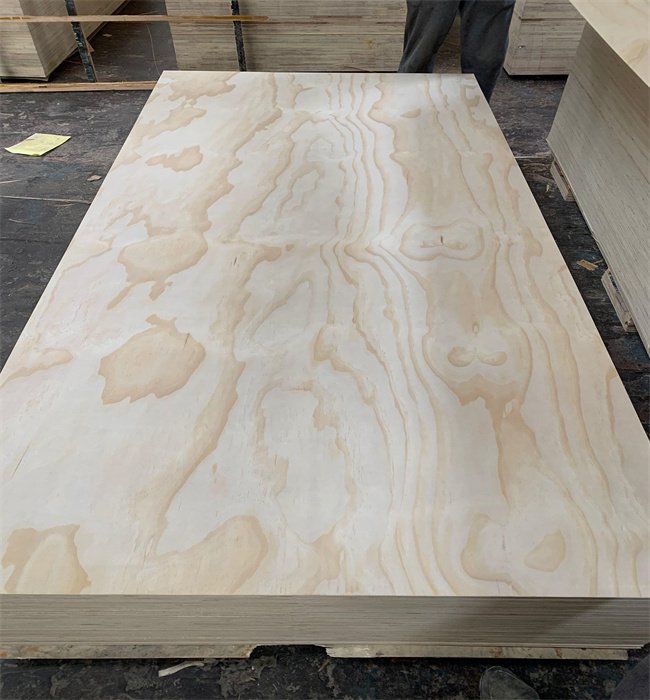
A plywood optimizer is a method or a program that maps every part onto a sheet so the cuts waste the least material and the maker spends the least time. A full sheet is a fixed area, and a good layout turns more of that area into parts instead of offcuts.
Whether done on paper or with software, optimization means fewer sheets for the job, less cost, and a shop with less scrap. The choice is not whether to optimize, but how much time to spend for the saving.
The optimizer arranges parts of different sizes onto one or more sheets to minimise waste, while respecting the grain direction, the kerf, and the saw limits. It fits the largest parts first, then the small parts into the gaps, and it produces a cutting list and a cut order to keep the job clear.
The result is a layout where every cut serves a part, not a guess. The cutting order keeps the sheet stable on the saw, and the labels on the parts keep the assembly clear.
For a one-off job, a quick manual layout saves material, and for a batch job, nesting software saves hours and often pays for itself in the first run.
Manual layout works well when the parts are few and rectangular. Nesting software handles irregular shapes and hundreds of parts, and it produces a precise cut path that a CNC or a panel saw can follow with far less manual effort.
Most shops start manually and move to software when the volume grows. The principle stays the same: fit the biggest parts first and fill the gaps with the smallest usable parts.
Start with a clean parts list that includes the finished size, the quantity, and any grain direction requirement for a visible face. A visible face that must match the grain sets the rotation constraint that the optimizer must respect.
Measure the sheet to the usable size, subtracting any trim or a damaged edge. Then group parts by thickness, because each thickness nests on its own sheet.
Fit the largest parts first, then place the medium parts, then the small parts in the remaining rectangles. Leave a safe margin for the saw kerf and for the clamps, so the layout matches the saw’s real cutting width.
The saw blade removes material as kerf, so the optimizer adds that width between parts or between parts and the edge. A small missed kerf can grow the waste or make a part undersized.
Grain direction matters for a visible surface. A door front or a cabinet side that must read the same way limits rotation, and the optimizer must not rotate those parts to fit, which can increase waste.
Draw the sheet to scale on paper or on the shop floor, cut paper rectangles to part sizes, and move them until the gaps are smallest. Mark the cut lines on the sheet with a pencil and number the parts.
Keep the offcuts in a known bin, labelled by thickness and size, so they become parts for the next job instead of scrap. An organised offcut pile is the cheapest optimizer a shop owns.
Plan the cut order to keep the sheet stable. Cut the parts that free space first, and avoid cutting a small part from the middle of a large unstable panel before the sheet is secured.
A panel saw supports the whole sheet, while a track saw or a table saw needs outfeed and support. The cut order must keep a stable base under the blade at every pass, so the operator never cuts from an unsupported corner or an edge that could tip.
Number the cuts and the parts on the layout, and cut in that order. That discipline turns a paper layout into a safe, clean cut on the sheet.
Nesting software takes the parts list and produces an optimised layout with a cutting path, labels, and a cut sequence. It respects the kerf, the grain constraints, and the tool limits, and it reports the yield and the waste percentage.
For a CNC, the software also avoids collisions and produces the toolpaths. For a panel saw, it gives the labels and the offcut map. Either way, the software saves time when the part count grows, and it frees the maker to focus on the build instead of the layout math.
Common features include part rotation limits, grain direction, and remnant tracking, so the shop reuses offcuts from previous jobs. That tracking compounds the saving over time.
The yield as the area of parts divided by the sheet area is the simplest way to judge a layout, and tracking it per job shows whether the process is improving. A good manual layout hits a solid yield, and nesting software often pushes it higher on complex jobs. By recording the yield for each job and the percentage of usable offcuts, a shop can measure the saving in real numbers.
Track the offcuts too, not just the waste bin. A usable offcut is material that becomes a part later, while true waste is sawdust and unusable strips.
Optimization is not only the layout. Designing parts to fit standard sheet sizes, sharing parts across jobs, and reusing offcuts all cut waste. A small design change that makes two parts share a length saves a whole strip, and a simple layout rule applied across many builds cuts waste by a large amount over time.
Order sheets to the job size where possible. Buying full sheets gives value, but cutting to a near-sheet size wastes if the offcuts are not usable.
Keep a standard cut list library for common parts, so the shop nests the same parts again with the same efficient layout. Repetition builds efficiency faster than starting fresh each time.
Design with the sheet grid in mind. If a cabinet side fits 1220 mm, use the sheet width; if a part can be made from an offcut, design to that offcut size.
A small dimensional tweak that removes a cut or allows two parts to share a blank pays off across many builds. The designer and the maker both win when the parts nest well.
A simple optimizer needs a tape, a pencil, a scale drawing, and a parts list, and a disciplined shop adds those tools to a repeatable routine. The workflow is: parts list, group by thickness, nest, cut order, label parts, cut, then track offcuts and yield. That order keeps the process repeatable and the waste measurable across every job.
Keep the offcut rack organised by size and thickness, and log new offcuts after each job. A well-run rack feeds the next nest with usable rectangles instead of a pile of odd scraps.
An offcut is only useful if it is flat, large enough for a future part, and easy to find, so the rack must keep those pieces separate from unusable scraps. Treat offcuts as inventory, not trash. The cost of storing a usable rectangle is small, and the saving when it replaces a new sheet is often large.
A flat, consistent panel nests and cuts cleanly. Commercial Plywood gives a flat face that marks and cuts true, while Melamine Plywood needs a clean cut to avoid chipping on the face. MDF Board nests well for painted parts, Film Faced Plywood suits a hard-wearing part with a coated face, and Chip Board covers the budget tier where yield matters most.
Suppliers such as HYY list the sheet size and the thickness on the contract, so the nest matches the actual sheet the shop receives and the yield matches the plan.
What is a plywood optimizer? It is a method or software that arranges parts on a sheet to reduce waste, cut cost, and produce a cut list and order.
How do you optimize plywood cuts? Fit the largest parts first, fill gaps with small parts, account for kerf and trim, respect grain direction, and track offcuts for reuse.
Is nesting software worth it for plywood? For batch jobs or many parts, yes. For a one-off small job, a manual layout often suffices.
How much waste is normal when cutting plywood? With a good layout waste can be low; nesting aims to minimise it, and tracking yield shows the real number per job.
Can you reuse plywood offcuts? Yes, if they are flat, large enough for a part, and stored by size and thickness so they are easy to find.